
How to Configure References in GudHub CRM: Guide Series #
GudHub provides three References elements for working with relationships between records and fields.
Item Reference stores a link to a record, Data Reference retrieves data from it, and Element Reference lets you reuse field settings.
In this series, we'll walk through how to configure each element with practical examples.
- How to Configure Item Reference – Creating Links to Records
- How to Configure Data Reference – Retrieving Data from Related Records
- How to Configure Element Reference – Reusing Shared Field Settings
Element Reference lets you reuse the settings of another element. For example, if an Options field already contains a list of statuses, you can use the same list elsewhere.
This is especially useful for Options, Radio Button, and Radio Icon, particularly when there are many options. Instead of configuring each field separately, you can specify a shared source.
This is the third and final part of the series on configuring References in GudHub.
You can find all the guides in the series here.
Step-by-Step Guide to Configuring Element Reference #
For this example, we'll use a list of statuses from an Options field. Prepare a source field with the required options so that you can connect it to Element Reference.
Step 1. Select the Source Field #
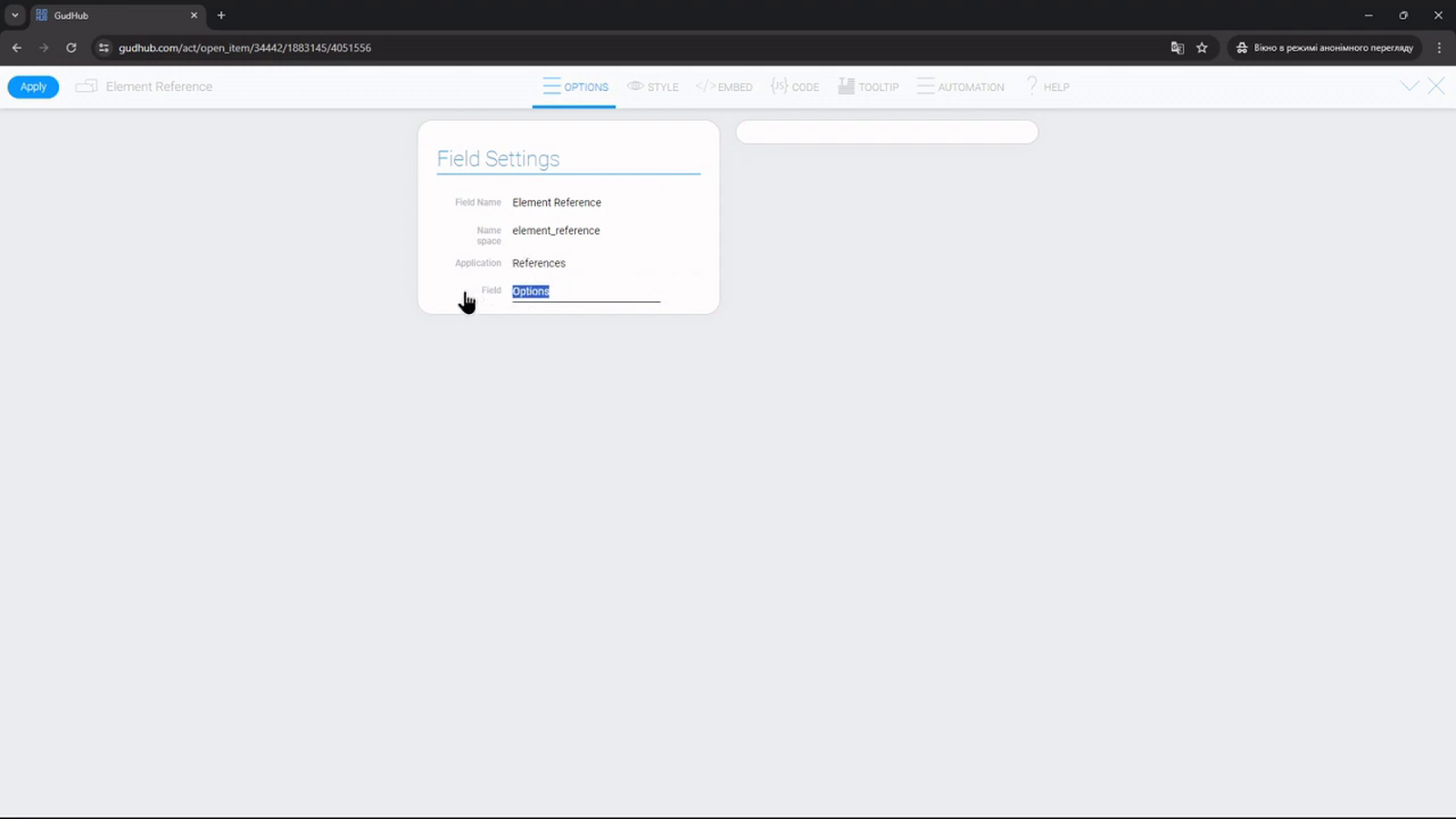
Open the Element Reference settings. Under “Field Settings”, select an application in the “Application” field, then select the required element in the “Field” field.
In the video, the source is the “Options” field from the “References” application.
Step 2. Check the Shared Settings and Independent Selection #
Open the list of options in Element Reference. It will contain the options from the source field. If you change the options in the source field's settings, those changes will also appear in the linked element.
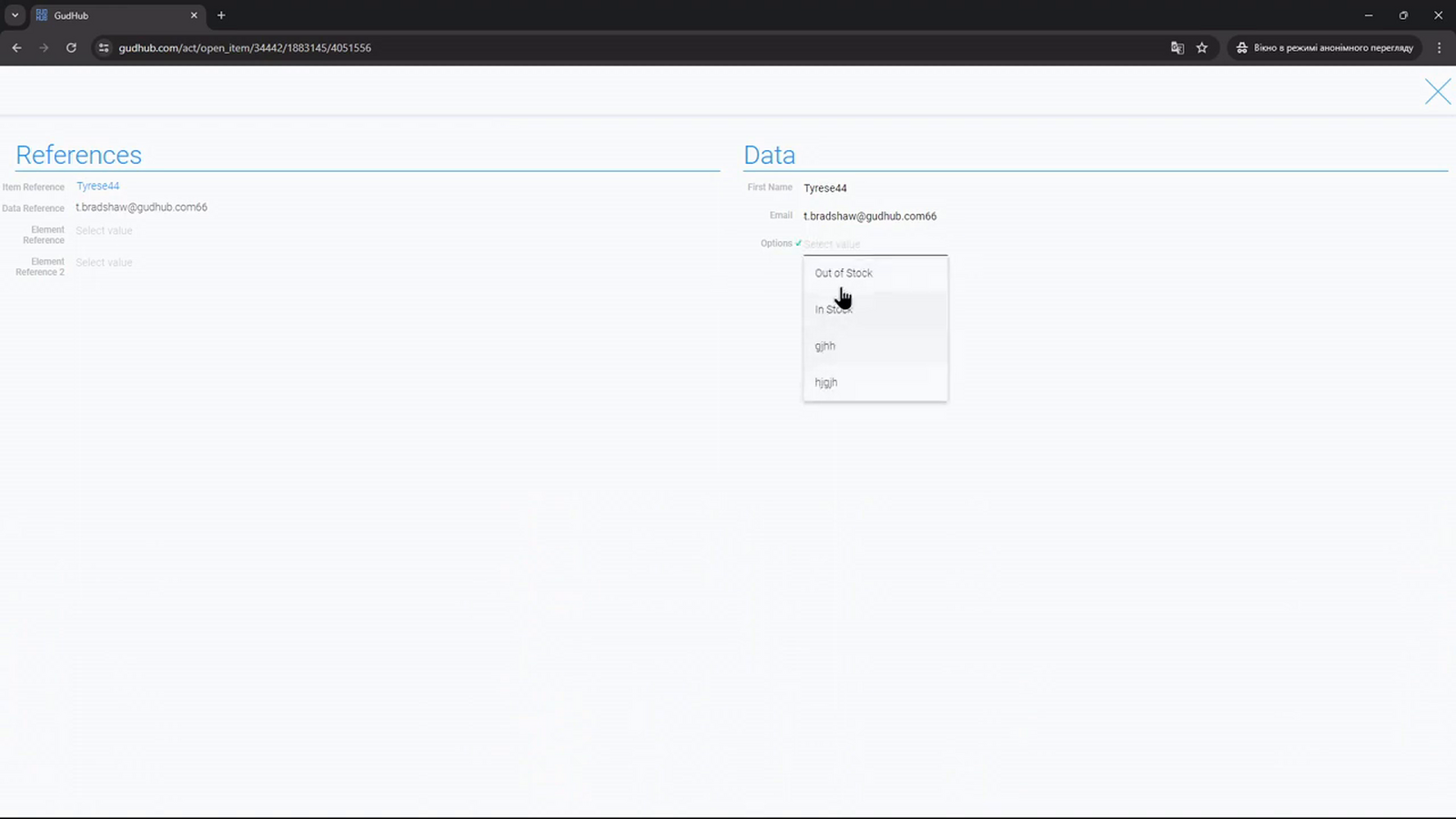
Element Reference is useful when the same set of options is needed in multiple fields. You maintain the list in one source, while users can select values independently in each field.
Previous part of the series – configuring Data Reference.
This is the final guide in the series. You can now create links to records, retrieve their data, and reuse field settings.
View all the guides in the series.