A CRM system is a place where you store your customers' contacts, record the history of calls and correspondence with them. That is why, translated from English, a CRM system is a “customer relationship management system”.
My explanation will be different from most others because I will not use general phrases like “it’s a business philosophy” or “it’s a management concept.”
The main elements of any CRM system
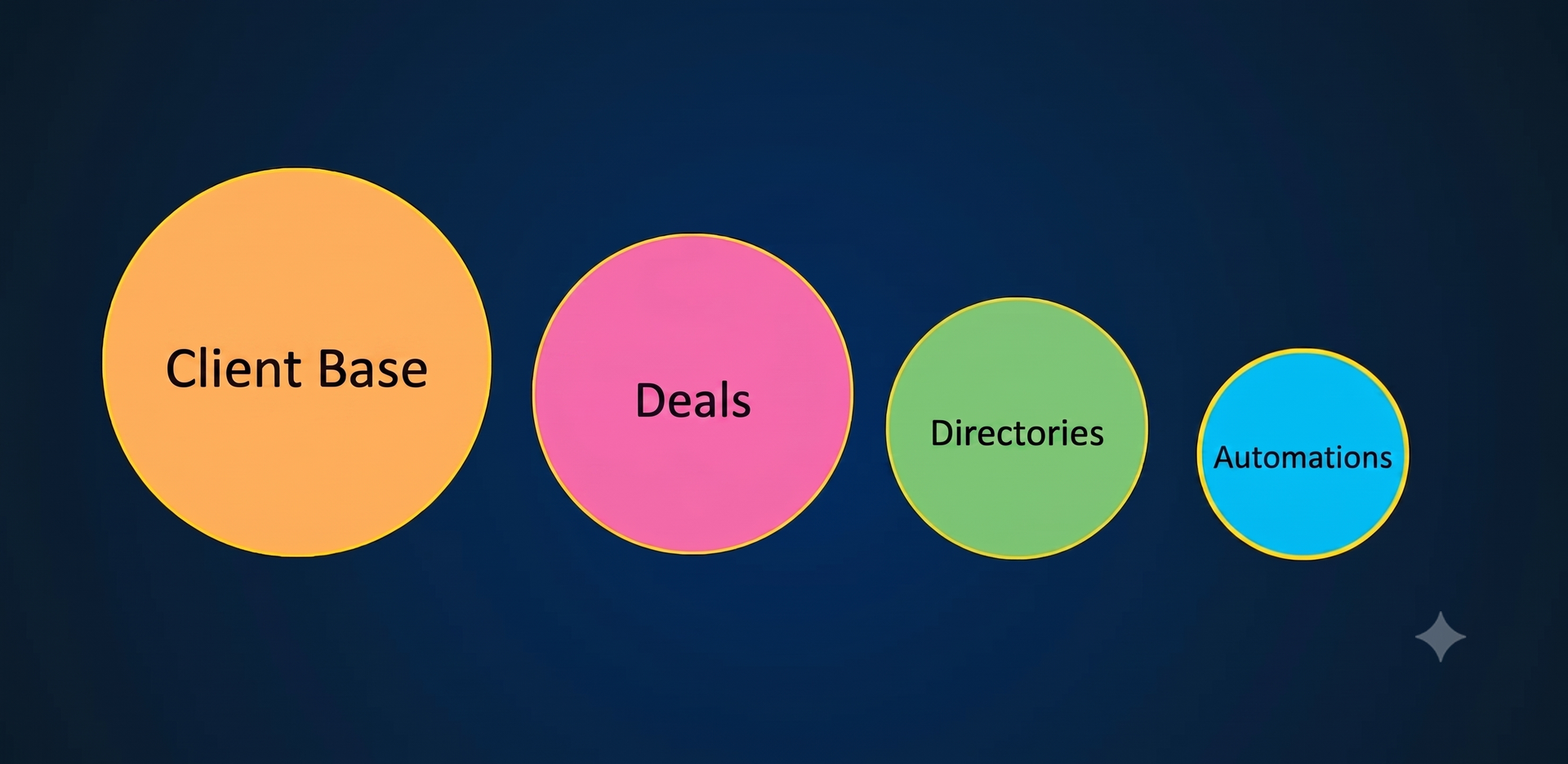
Any CRM system consists of four basic elements:
- Customer base
- Agreements
- References
- Automation
Note that the size of these elements corresponds to their importance in the CRM system. Let's start with the largest and most important part of CRM - the customer base.
Customer base is the basis of CRM
A CRM system is primarily a single customer base. It is precisely because of the need to create such a base that managers often first think about implementing CRM.
Business example
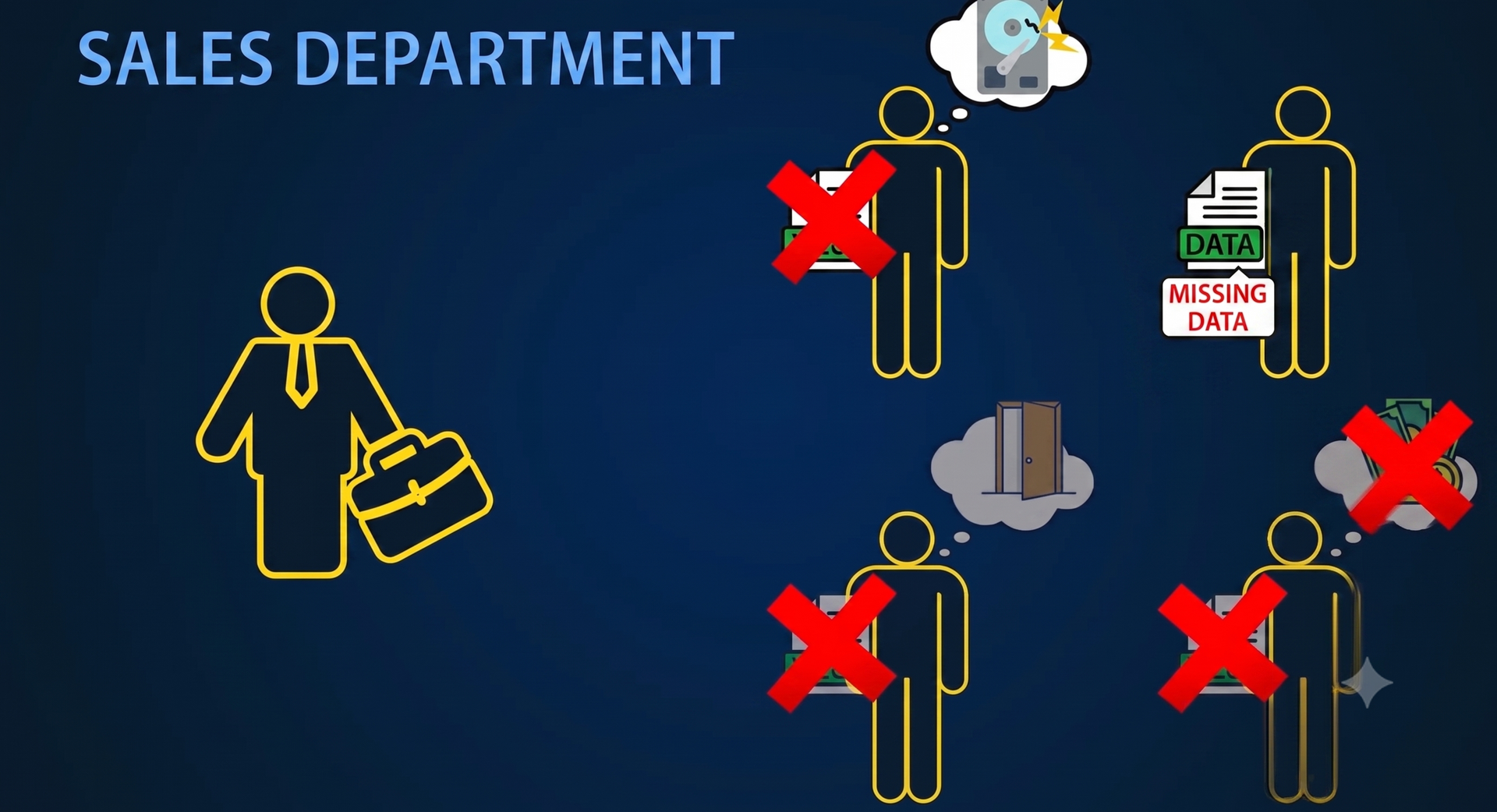
Let's imagine that you run a wholesale company. There is a sales manager and four salespeople in the sales department. Since the company was founded, each manager has developed his own customer base, which is stored on his phone and in Excel files.
This database usually contains a person's contact details such as phone and email. And the history of customer relationships, which is recorded somewhere, or stored exclusively in the manager's memory. Each manager controls his own database and, of course, is not ready to share it with colleagues.
Main risks for business
What are the disadvantages of such a customer base? In general, there are three main problems here.
Problem №1 — firing the manager
The first problem arises when one of the managers leaves the company. If he goes to a competitor, he takes his client base with him, and you, as a manager, will not be able to prevent him from doing so technically. He copied his files and left, and he may not give them back to you. Then you will have to rebuild everything practically from scratch.
Problem №2 — selling the database
The second problem is that the database under the manager's control is an asset of your company that he can simply sell to its competitors, resigning or moving into another field of activity...
Problem №3 — data loss
And the third problem is that the manager can simply lose part of his client base. For example: he lost his phone with contacts or the hard drive on his computer “froze” — and that’s it! The entire base is gone!
The solution is a Centralized Customer Base
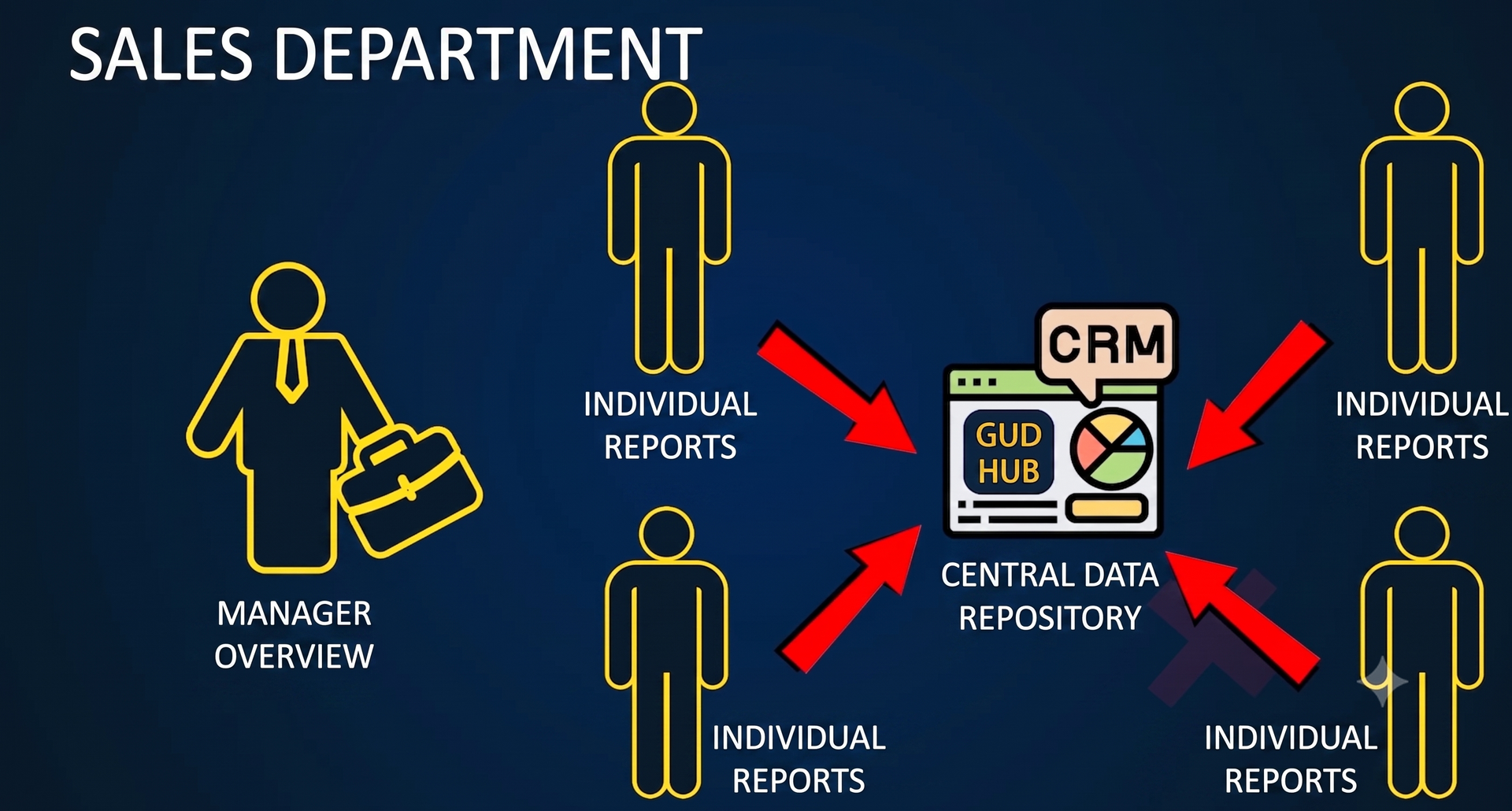
That is why a single centralized system is needed for customer management.
The customer base is stored:
- or on the company's server,
- or in the cloud.
The functions of the database administrator belong to the person appointed by the owner, while the ordinary sales manager has access only to his clients and does not have the ability to upload the client database.
Customer base as a company asset
Thus, the customer base becomes an asset of the company, which is under the control of the owner. Once again, pay attention to the fact that the customer base is the most important element for which a CRM system is implemented.
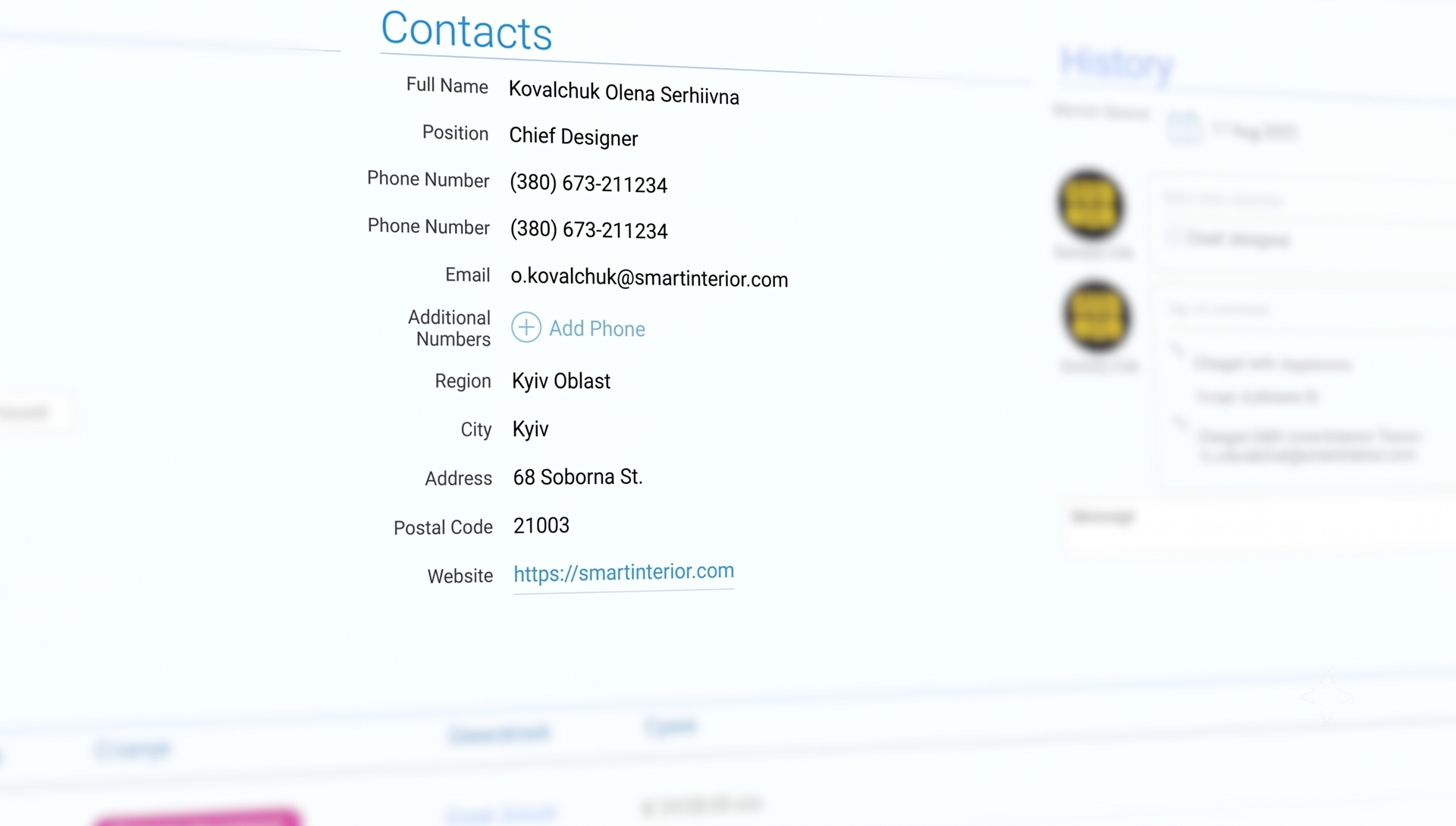
So what information do we store in CRM? The first section is contact information: last name, first name, patronymic, phone number and email of an individual.
Stored:
- last name, first name, patronymic
- phone
- Address
- client status
- comments
Contact type is a mandatory element in any CRM and should be well thought out. Each company has its own classification by contact type, but it is important to understand that the classification by contact type itself is necessarily used in any CRM, so it needs to be properly thought out and planned.
Example of contact classification
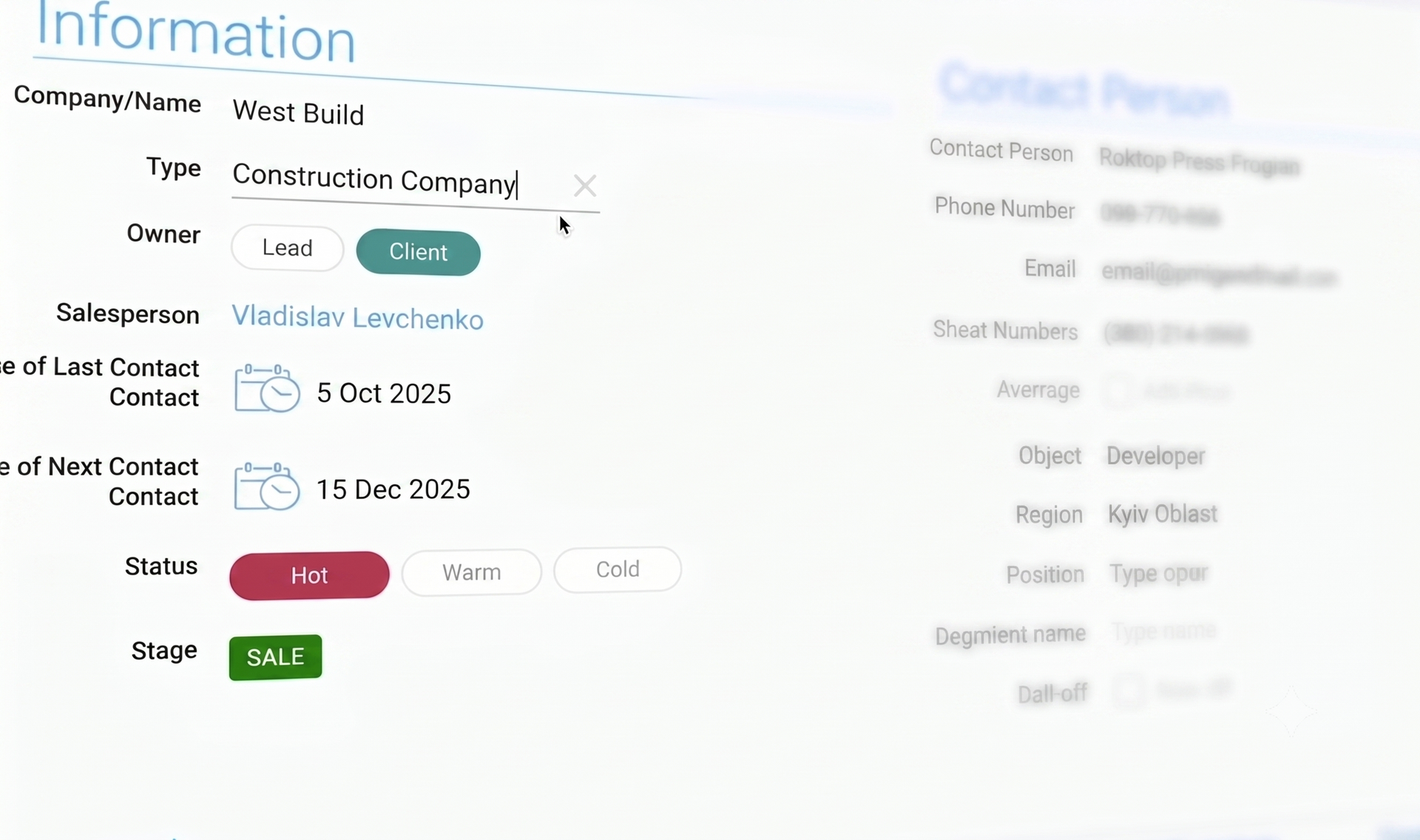
For example, a company sells finishing materials, and among the individuals it interacts with are:
- designers who make orders for their clients;
- representatives of wholesalers and regional dealers with warehouses;
- representatives of construction companies;
- representatives of small shops;
- and simply individuals who purchase materials for their apartment.
Using contact types
Let's say a company wants to send all designers information about a new unique offer that is prepared specifically for designers. If we have these types of contacts, we can easily select by type "designer" and send an email newsletter.
CRM flexibility
The amount of information that can be stored in a CRM is not limited. For example, in the GudHub CRM system, it is possible to add any number of fields required depending on the specifics of the company.
Why Excel is not CRM
It may seem that all this is easy to implement in Excel or Google Sheets. But this is a fundamentally wrong approach, because CRM is not only a customer database - although, I repeat, this is its main function.
The fact is that CRM includes three more components, which we will now move on to, and it will become clear to you that combining all this functionality in Excel tables will not work.
Deals in the CRM system
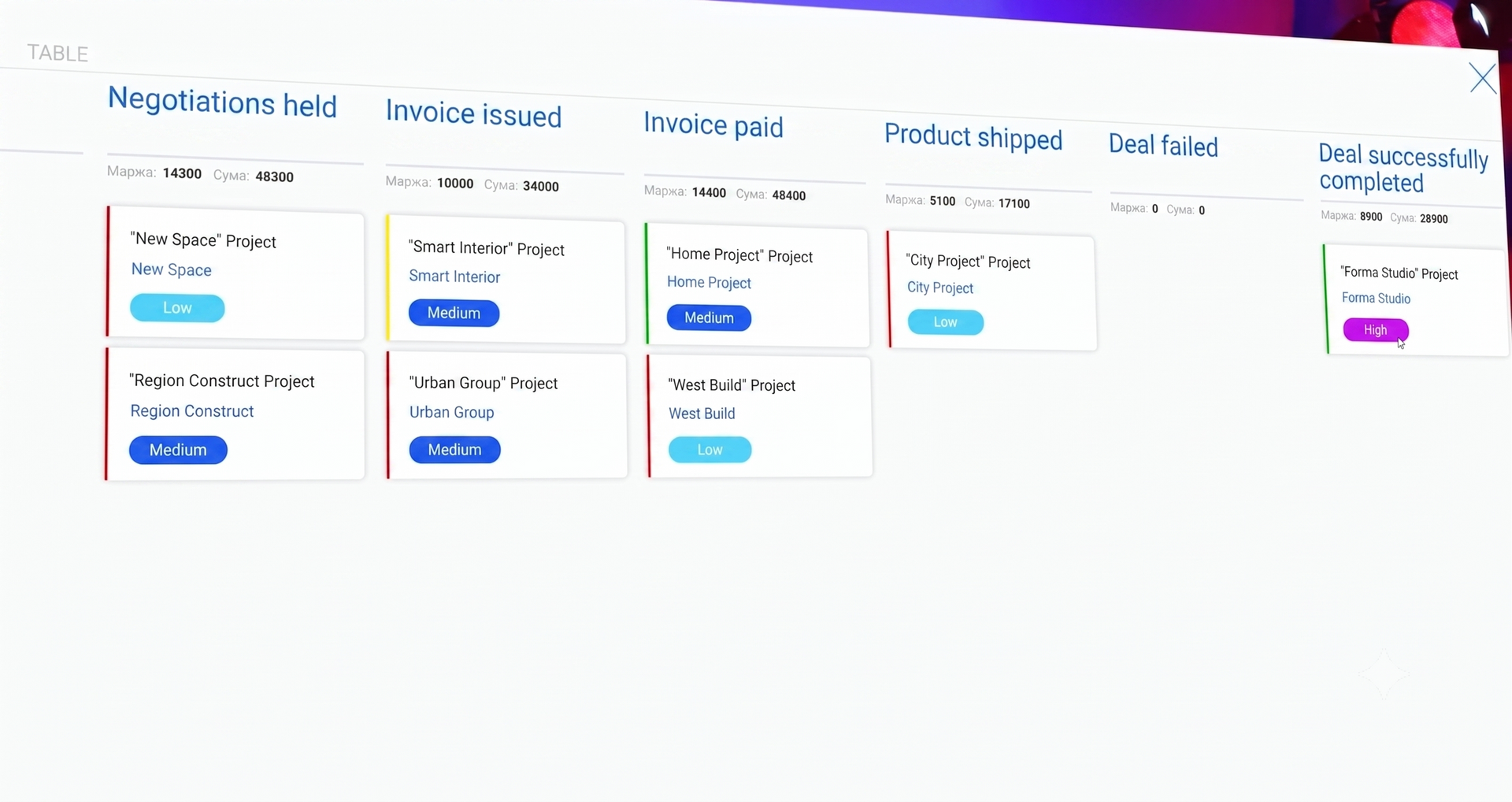
Let's move on to the second element of CRM - deals. Deal management begins with creating a list of deal stages. Each company creates a list of stages for itself. Below are the classic deal stages in the wholesale sale of goods:
- Application received
- Negotiations held
- Invoice issued
- Bill paid
- Goods shipped
As you work in the CRM system, deals are created. The goal of the sales manager is to take each deal through all the stages until it is closed. These stages are also called the sales funnel, because at each stage some deals are eliminated.
Example of a funnel
Let's say a company received 10 requests from a website where customers left their name and phone number with a request to be called back.
Managers contacted customers and held negotiations - talked about the product. But they only managed to talk to 8 customers:
- one refused to communicate,
- Another person's phone was turned off.
So, 8 out of 10 agreements have moved to the "Negotiations Completed" stage.
Of these 8 clients:
- The three decided to think,
- five asked for a bill.
Of the five invoices issued:
- three customers paid the bill,
- and the goods were shipped.
Real-time transaction monitoring
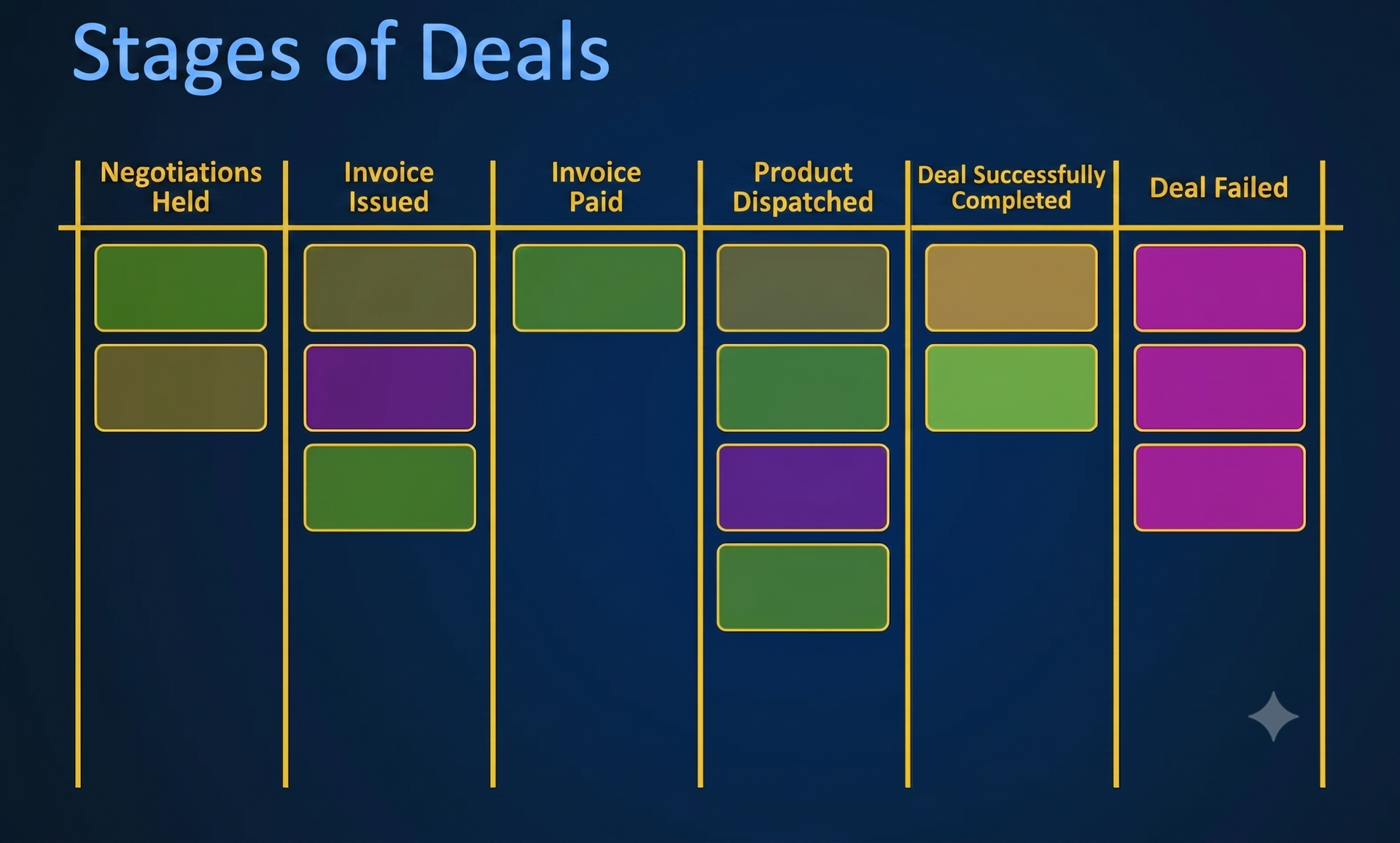
In our example:
- 2 unprocessed applications remained at the «Application received» stage,
- 3 clients — at the «Negotiations completed» stage,
- 2 customers have not yet paid the bill,
- The goods have already been shipped to 3 customers and they need to monitor the delivery.
The sales manager clearly sees the current situation and works with only those deals that remain in the funnel. Thanks to this, no deal will be forgotten.
Final stages of deals
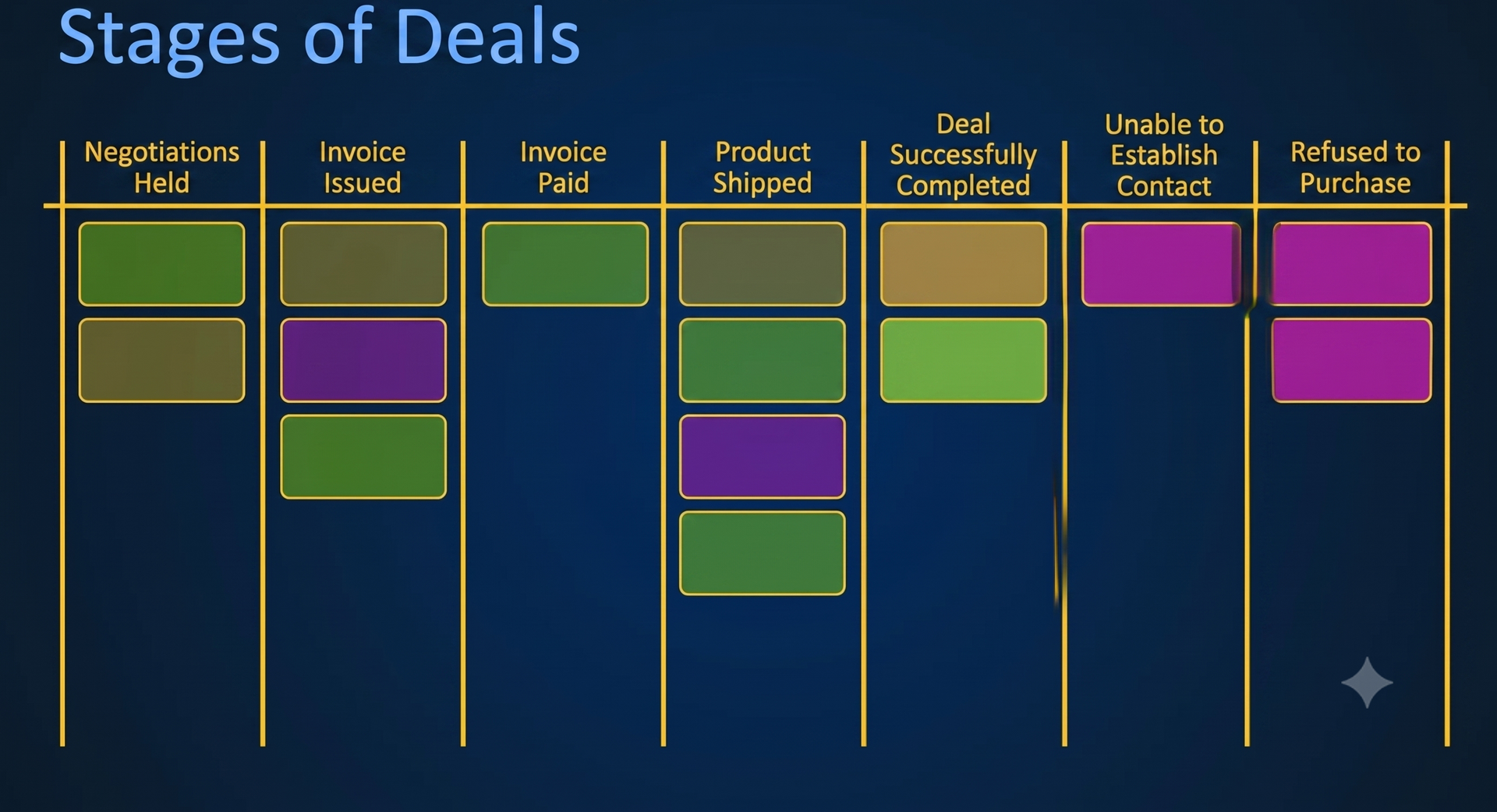
Some deals fail to advance through the sales funnel for objective reasons. Such deals are postponed to the final stages.
There are at least two final stages:
- deal failed
- the deal was successfully completed.
If necessary, any number of additional final stages can be created for further analysis, for example:
- unsuccessful transaction - the client does not get in touch,
- unsuccessful transaction - the client refused to purchase.
By default, all final stages are hidden. Only those deals that are in progress are displayed on the manager's screen.
This is done so that a large number of closed deals does not interfere with focusing on current tasks. If necessary, closed deals can be displayed, reviewed, and analyzed.
Directories in CRM
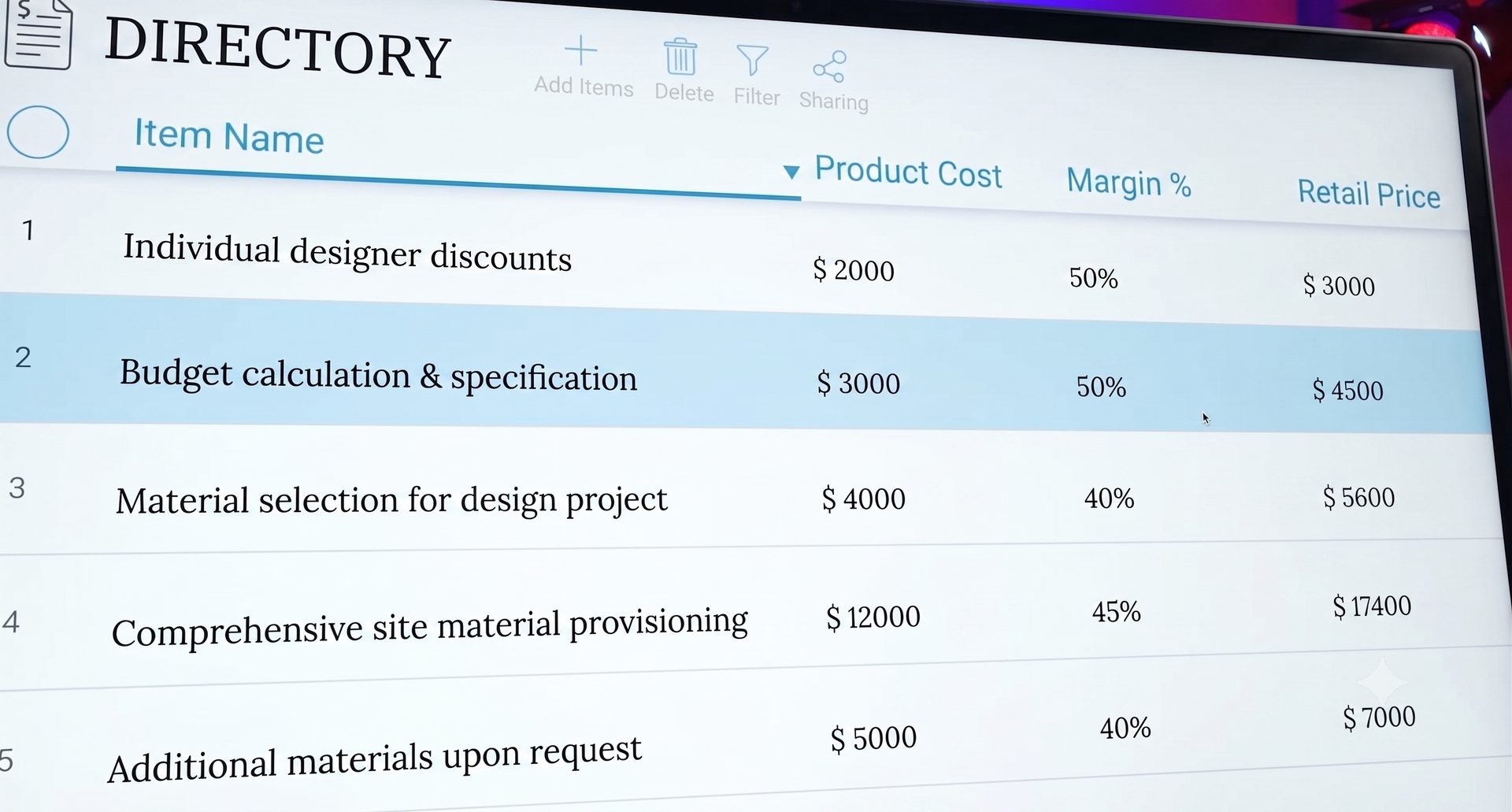
The third most important element of the CRM system that we are considering today is directories. The main one is products, or more broadly, the nomenclature, which includes both goods and services.
This directory is a must-have in any CRM system. Of course, the system may also have other directories used in transactions, for example: delivery types or warehouse addresses. But let's focus on products in more detail.
CRM and accounting: it is important to distinguish functions
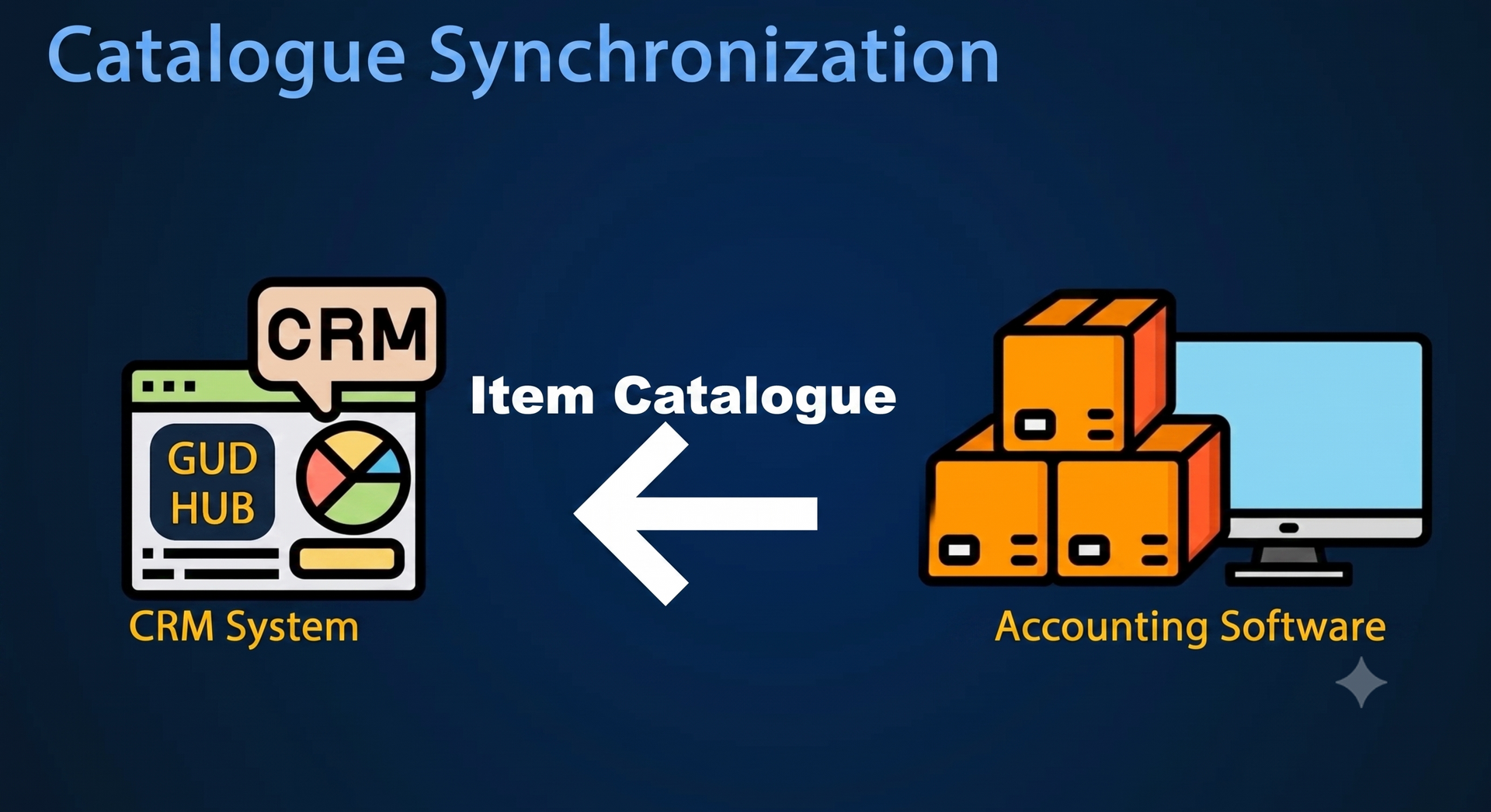
When it comes to products, it is important to clearly understand the difference between the capabilities of a CRM system and an accounting program. A CRM system is not designed to account for product balances - that is the task of accounting or bookkeeping systems.
At the same time, all leading CRM systems have the ability to integrate with accounting programs.
The product catalog is usually downloaded from the accounting system and synchronized with the CRM. Most often, the synchronization is one-way, meaning that changes can only be made in the accounting program.
All updates made to the accounting system automatically appear in CRM. Thus, in CRM you can see:
- current product balances,
- selling prices,
- information required for billing.
After that, the issued invoices can be transferred back to the accounting program.
Automation tools are the fourth element of CRM
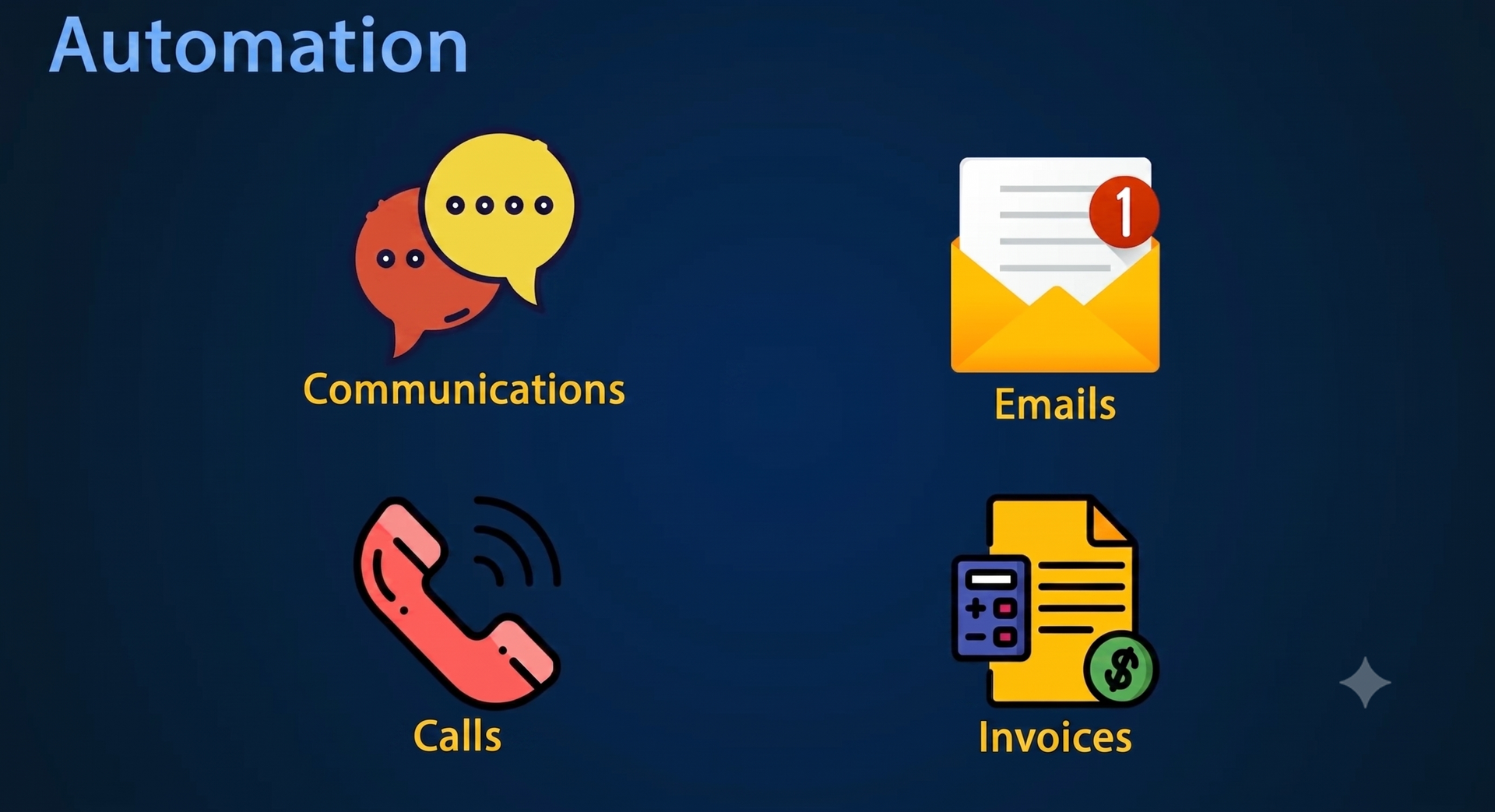
So, let's move on to the fourth element of the CRM system - automation tools.
There can be a lot of automation tools in CRM, including:
- Invoice, letter and proposal templates.
- Automatic sending of SMS to clients at certain stages (work).
- Reminders and any tools to speed up work.
- Integration with mail: the entire history of communications (letters, calls, invoices) is stored in the counterparty's card in a single list.
This also includes integrations. Thanks to integration, the CRM stores a complete history of customer relationships. You can open a counterparty card and see in a single chronological list:
- received and sent letters,
- invoices issued,
- incoming and outgoing calls,
- other communications.
Result
Even if at the initial stage of CRM implementation, you do not yet have lead generation set up (automatically downloading requests from the website, mail or calls), there is nothing critical about this. The main thing is to start maintaining a client base, because this is the main part of CRM.
So, to summarize the above, any CRM system consists of four elements:
- customer base
- agreements
- directories
- automation tools.
Now that you see that everything is not so complicated, it's time to start getting acquainted with and implementing CRM in your business.